If you need an invoice for your purchase and didn't request it when you placed your order, you can do so from your user account. Depending on whether you placed the order as a registered user or as a guest, follow one of these processes:
Invoice request for registered users.
In order for us to issue an invoice for your order, you must first enter your billing details directly in the customer area of our website.
Here are the steps to follow:
1. Log in to your account and click on the user icon to access your personal area.
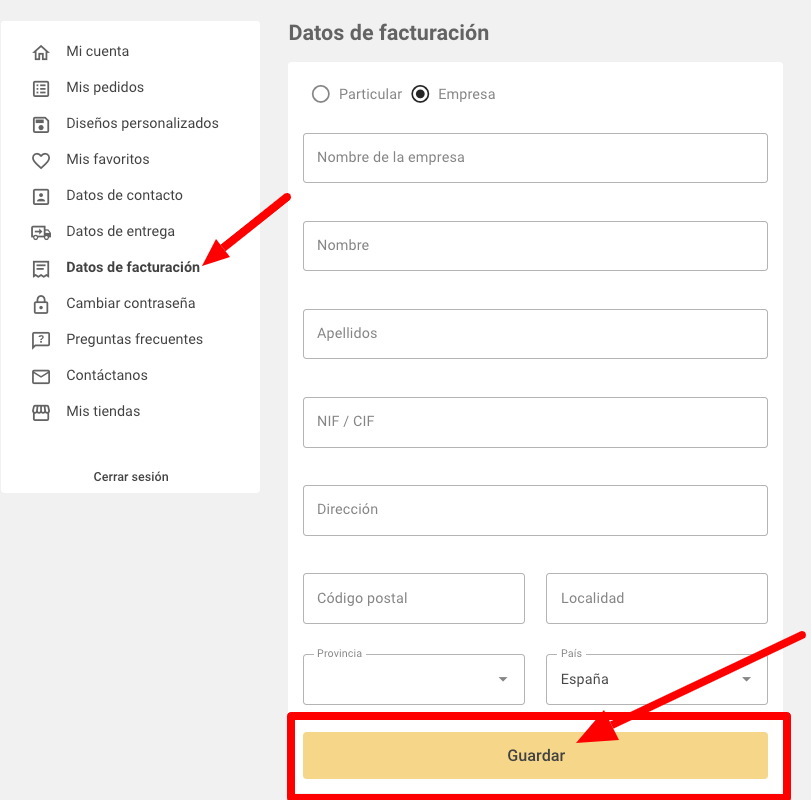
2. In the customer area menu, select “Billing details”
3. On the form, choose whether you are an individual or a company and fill in all the required fields (name, NIF/CIF, address, etc.)
Don't forget to click the "Save" button
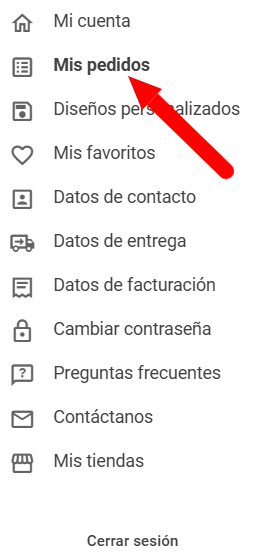
4. Once you have filled in your tax information, go to the "My Orders" menu.
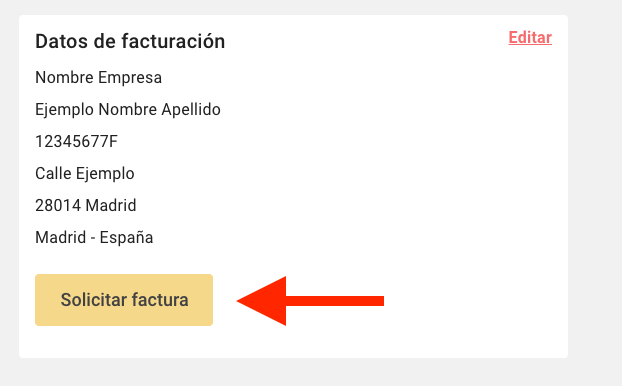
A message will appear confirming that we have received your request.
Between 24 and 48 hours after you have sent your order, you will receive the invoice in your email .
Invoice request for guest user.
If you haven't registered or logged in before placing your order, please follow these steps:
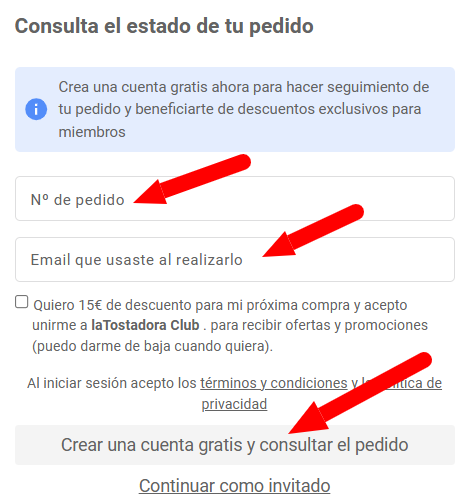
1. Access " Check the status of your order " and enter the order number and the email address you used to make the purchase.
2. Select create a free account
3. In your customer area you will see your order, click on "View details"
4. In the " Billing Details " section, click "Edit" to complete your billing details.
5. Finally, in the order details, click on "Request invoice"
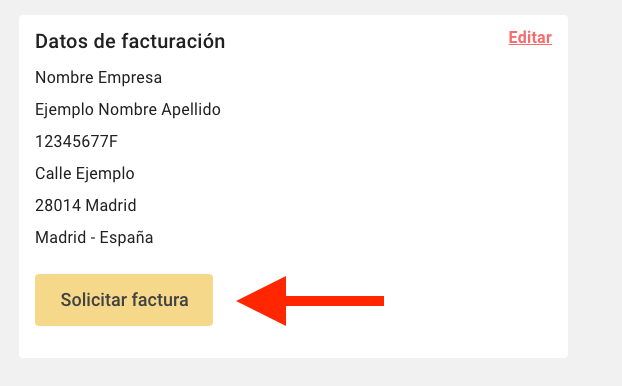
A message will appear confirming that we have received your request.
Between 24 and 48 hours after you have sent your order, you will receive the invoice in your email .